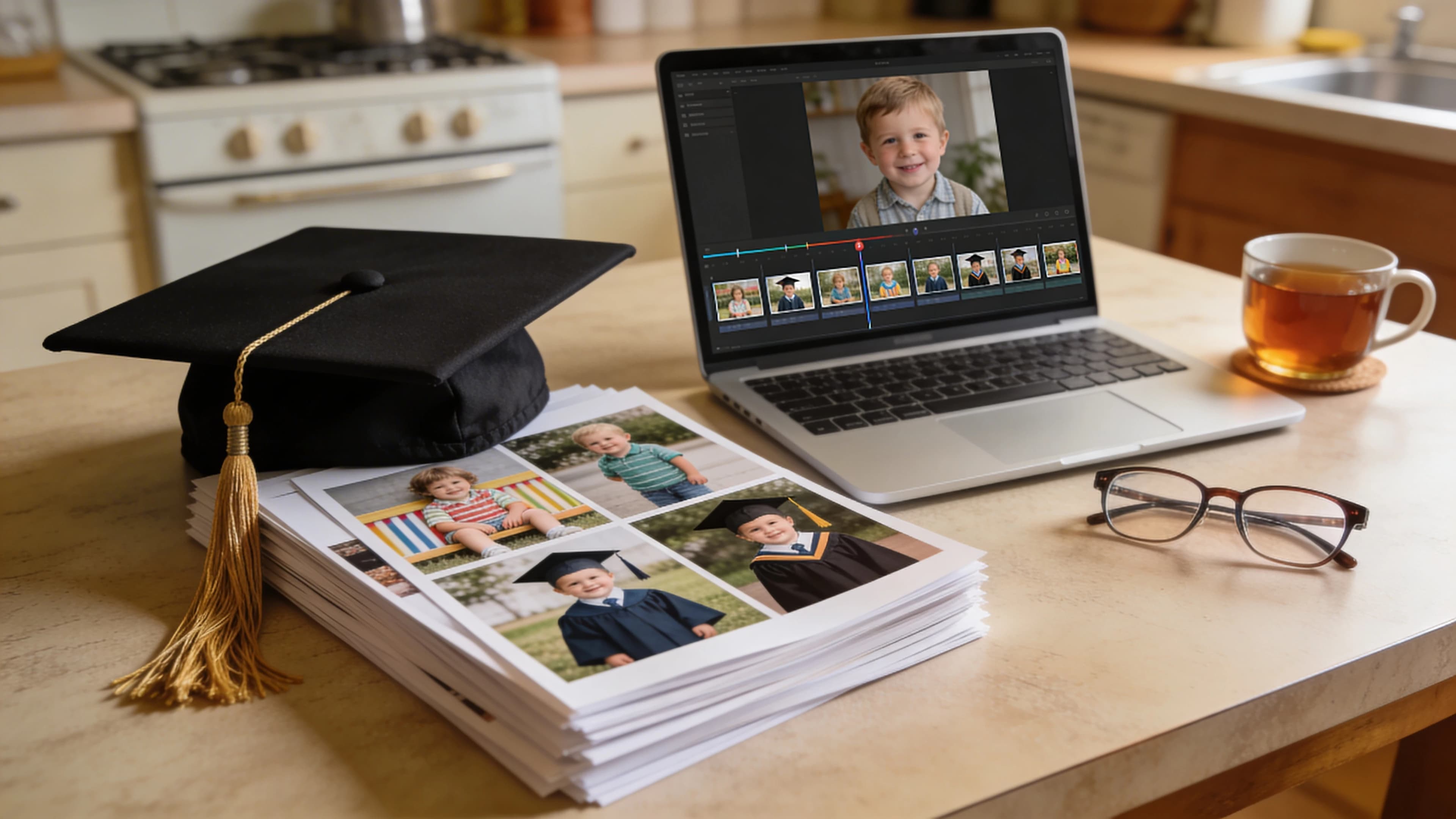
The Problem with Most Graduation Videos
Here is what usually happens. Someone gathers 80 photos, drops them into a slideshow maker, adds "Good Riddance" by Green Day, and plays it at the party. People smile. A few tear up. Then the video sits unopened on a phone for the next decade.
Americans spent a record $6.8 billion on graduation gifts in 2025. A lot of thought and money goes into celebrating graduates. But the standard graduation video, a chronological photo dump with a stock music track, rarely becomes the keepsake it was meant to be.
The reason has nothing to do with production quality. It has to do with story. A meta-analysis of over 33,000 participants found that narratives are recalled roughly twice as well as non-narrative content. Stanford research puts the gap even wider: when an audience heard statistics, only 5% could recall them afterward. When they heard the same information wrapped in a story, 63% remembered.
The graduation video ideas that actually produce lasting keepsakes are the ones built on narrative structure. A beginning that shows who the graduate was. A middle that captures the journey. An ending that lands emotionally. Pair that arc with voiceover narration and music that matches the pacing, and you get something people return to for years.
This article covers six specific video types organized by story (not format), a three-act framework you can apply to any of them, the two layers almost nobody includes, and a tool comparison to help you actually make the thing.
6 Graduation Video Ideas Organized by Story
Most articles sort graduation video types by format: slideshow, vlog, montage. That tells you almost nothing about what to put in them. What matters is the story you are telling, because the story determines which photos to pick, what order they go in, and what the voiceover should say.
1. The Parent Tribute
A parent traces the graduate's life from childhood to cap and gown.
Story arc: The child they were (setup), the person they became (journey), the pride of letting go (arrival).
This type carries the highest emotional stakes. A parent's perspective gives the video a natural narrator, and the arc writes itself because the parent lived it. The key is to let the voiceover carry the story rather than packing slides with text captions. A parent's words over a childhood photo activates two cognitive channels simultaneously. Dual-coding theory, established by Paivio in 1971, shows this combination can double retention compared to visuals alone.
If the idea of recording your own voice feels uncomfortable, AI voiceover tools can turn your written words into narration. yume, for instance, offers AI voiceover in 23 languages, so a parent can narrate in Spanish, Hindi, Filipino, or whichever language feels most personal.
2. The Friend Farewell
A montage of shared memories between friends heading in different directions.
Story arc: How they met, what they built together, the bittersweet goodbye.
This works because it captures a relationship, not just a milestone. The best friend farewell videos lean into specifics. Inside jokes, the trips, the terrible dorm room, the late study nights. Generic "we had great times" narration falls flat. The more specific the details, the more emotional the result.
3. The Teacher or Mentor Tribute
Students create a video thanking a teacher who made a real difference.
Story arc: Before the teacher's impact, the transformation, gratitude.
Teachers almost never receive something like this. That element of surprise is part of what makes it land. For international school settings, narrating in the teacher's native language adds a layer of thoughtfulness that no card or gift can match.
4. The Self-Reflection
The graduate creates a video reflecting on who they are now and what they hope for.
Story arc: Where I started, what I learned, where I am going.
This is the video the graduate watches 5, 10, 20 years later. Research from Scientific American found that people use familiar content "as a measuring stick for how their own lives had changed." A self-reflection video made at 18 or 22 becomes a time capsule that gains meaning with age.
5. The Class Montage
A collaborative video representing an entire graduating class.
Story arc: The freshman class, the shared experiences, the collective farewell.
This one is harder to pull off because it requires coordinating photos from many people. But when it works, it becomes a genuine time capsule. The narrative challenge is giving the video a coherent arc rather than letting it devolve into a random collection of photos with no throughline.
6. The Graduation Day Vlog
Real-time footage of graduation day itself.
Story arc: Morning prep, ceremony highlights, celebration.
This is the only type on the list that requires live footage. Phone cameras and a basic editor like CapCut or iMovie are the right tools for this one. AI generation does not make sense here because the value is in the raw, authentic moments.
The same narrative principles covered in this article apply to other milestone videos too. If you are working on something for a birthday, this guide on making birthday videos with zero editing skills walks through a similar process.
The Three-Act Structure for Graduation Videos
The framework below is adapted from Syd Field's screenplay structure and backed by Paul Zak's neuroscience research on narrative arcs. You can apply it to any of the six video types above. It scales to any length, whether you are making a 60-second social clip or a 5-minute party video.
Act 1: The Setup ("Who They Were")
Early photos. First day of school. Childhood. The person before the journey began.
The goal here is to establish who the graduate was. Not a generic "they were a great kid" setup, but something specific. A voiceover line like "She was always the one with her hand up first" tells the audience something real about the person. This creates connection.
Music in Act 1 should be gentle and nostalgic. You are setting an emotional baseline that the rest of the video will build from.
Act 2: The Journey ("What They Went Through")
Growth years. Friendships formed. Challenges overcome. The defining moments that made the graduate who they are.
This is where specifics matter most. "She worked really hard in school" means nothing. "The semester she almost quit was the semester that turned everything around" means something. One defining moment or realization, given room to breathe, is more powerful than a dozen generic praise statements packed together.
The music should build gradually through Act 2, adding layers and intensity as the story deepens.
Act 3: The Arrival ("Who They Are Now")
Graduation day. The accomplishment. What this person means to the people around them.
The strongest endings are forward-looking. Rather than closing with "congratulations," close with where they are headed. A voiceover line like "She walked across that stage as someone who earned every step" lands because it connects the journey in Act 2 to the arrival in Act 3.
Music hits its emotional peak here, then resolves gently. The crescendo should feel earned by the story, not forced by the soundtrack.
Why This Structure Actually Works
This is not an aesthetic preference. Character-driven stories following a dramatic arc cause the brain to release oxytocin, according to Zak's research. Oxytocin increases empathy and emotional connection. In one experiment, participants given synthetic oxytocin donated to 57% more charities and gave 56% more money than a placebo group.
The three-act structure gives the brain a framework for processing and storing the experience. Without it, each photo is a discrete unit that fades from memory. With it, the photos become chapters in a story the brain wants to hold onto.
Two Layers Most Graduation Videos Are Missing
You can have beautiful photos and a perfect three-act structure, but if the video only engages one cognitive channel (visual), it is working at half capacity. Two layers separate keepsake-quality videos from forgettable ones.
Voiceover Narration
Videos with voiceover show a 73% average engagement rate, compared to 62% without. People are 70% more likely to remember information delivered by voice than by text alone. A study published in Scientific Reports found stronger physiological responses, including heart rate and electrodermal activity, to audio narratives compared to video-only content.
Put simply: a parent's words narrated over childhood photos create a fundamentally different experience than the same photos shown with text captions. The voice adds a human presence that text cannot replicate.
Most parents want to narrate but do not want to record themselves. AI voiceover solves this cleanly. Write what you want to say, pick a voice that feels right, and the narration is done. For multilingual families, narrating in a heritage language adds a personal dimension that no stock slideshow maker offers. The same voiceover principles apply to retirement tributes and other milestone videos.
Music That Matches the Story
Georgia Tech research from 2024 found that music alters the emotional tone of memories. Neutral stories recalled with positive music were later remembered as more positive, even after the music stopped playing. Music acts as what the researchers called an "emotional lure," becoming intertwined with memories and subtly shaping how they feel over time.
Separately, research on music-evoked autobiographical memories shows these memories are recalled quickly, with minimal effort, and are preserved even in patients with dementia.
The problem with stock music is not that it sounds bad. It is that it sounds like everyone else's video. When thousands of graduation slideshows pull from the same royalty-free library, the emotional specificity disappears. As Timber Music Supply put it: "Stock music is designed to be versatile, but it lacks the specificity and nuance needed to reflect a story's unique emotional arc."
AI-composed music matched to a specific video's pacing and emotional arc is a different category. It builds when the story builds, pulls back for quiet moments, and swells for the payoff. Nobody else's graduation video will have the same soundtrack.
Consider the difference in cognitive terms. A typical slideshow engages one channel: visual. A narrated video with story structure and matched music engages four: visual, verbal, narrative, and emotional. The more channels working together, the deeper the brain encodes the experience, and the more likely someone is to come back to it.
Best Tools for Making a Graduation Video in 2026
Now that you know what makes a graduation video worth keeping, here is how the current tools stack up on those criteria.
| Feature | yume | Canva | CapCut | iMovie | Animoto | Tribute.co |
|---|---|---|---|---|---|---|
| AI voiceover narration | 23 languages | No | No | Record only | No | No |
| AI-composed original music | Yes, matched to story | No (stock library) | No (stock library) | No (stock library) | No (stock library) | No |
| Narrative structure built in | Yes (AI creative direction) | No (manual) | No (manual) | No (manual) | No (manual) | No |
| Character consistency | Yes (from reference photos) | No | No | No | No | No |
| Editing skills required | None (chat interface) | Low | Medium | Low-Medium | Low | None |
| Output type | Cinematic AI video | Photo slideshow | Edited video | Edited video | Photo slideshow | Group video messages |
| Price | EUR 30/month | Free to $10/month | Free to $20/month | Free (Apple only) | Free to $33/month | $29 to $175 per video |
| Time to create | 15 to 30 minutes | 4 to 10 hours | 4 to 10 hours | 4 to 10 hours | 2 to 4 hours | 1 to 3 weeks |
yume is the only tool that combines narrative structure, AI voiceover, and original music in one workflow. You describe what you want in a chat, upload reference photos, and receive a cinematic video. No timeline, no drag-and-drop, no learning curve. For parents who have hundreds of photos on their phone and no editing experience, this is the fastest path to a video that feels produced rather than homemade. After delivery, you can edit individual shots through the same chat interface until every scene feels right.
Canva is the easiest free option for a straightforward photo slideshow. The template library is massive and the interface is familiar to most people. The limitation is that the output will always be a slideshow. No AI voiceover, no generated visuals, no narrative assistance.
CapCut is the most powerful free editor for people willing to learn a timeline. Strong for graduation day vlogs and for users who already edit TikToks. It struggles with large photo projects, and the learning curve for a first-time editor is real.
iMovie is solid, free, and clean, but Apple-only. Good for simple edits with the photos and clips already on your iPhone. No AI features.
Animoto is drag-and-drop focused with a large stock music library. Good for parents who want something a step above a basic slideshow without learning video editing. Templates limit creative flexibility.
Tribute.co is purpose-built for group video gifts where friends and family each record a clip. The coordinating and collecting process takes 1 to 3 weeks, and the output is a compilation of talking-head messages rather than a cinematic montage.
For a deeper comparison of tools for turning old photos into video gifts, see this full breakdown.
The True Cost of a Graduation Video
Cost is not just money. For a parent planning a graduation party, juggling catering and guest lists and decorations, time might be the scarcer resource.
| Approach | Cost | Time | What You Get |
|---|---|---|---|
| yume (Yume Plus) | EUR 30/month | 15 to 30 min | Cinematic video with voiceover, original music, character consistency |
| DIY (Canva, iMovie) | $0 to $10/month | 4 to 10 hours | Photo slideshow with stock music |
| Template tool (Animoto, FlexClip) | $0 to $33/month | 2 to 4 hours | Template slideshow with stock music |
| Group video (Tribute.co) | $29 to $175 | 1 to 3 weeks | Compilation of talking-head clips |
| Freelance editor | $500 to $2,000 | 1 to 3 weeks | Professional edit of your materials |
| Professional production | $1,500 to $7,000+/min | 3 to 8 weeks | Broadcast-quality cinematic video |
The manual tools are cheap in dollars but expensive in hours. The professional options are expensive in both. A cinematic graduation video through yume costs about the same as a graduation card and takes less time than picking one out at the store. Share it on social media afterward and you receive EUR 10 cashback, bringing the effective cost to EUR 20.
If you are looking for graduation gift ideas beyond a video, or the graduate already seems to have everything, this list of gifts for people who have everything covers some interesting options. Personalized gifts tend to resonate more at milestones like graduation.
How Long Should a Graduation Video Be?
| Context | Recommended Length |
|---|---|
| Social media (TikTok, Reels, Shorts) | 30 to 60 seconds |
| Graduation party (projector or TV) | 3 to 5 minutes |
| Extended family viewing | 5 to 10 minutes |
Wyzowl's 2026 data shows that videos under 90 seconds maintain a 50% engagement rate. 71% of people believe 30 seconds to 2 minutes is the most effective length for video content.
The practical move is to decide the context first, then match the length. A party video and a social media clip are different products serving different audiences. The three-act structure scales to any duration. A 60-second video can carry the same narrative arc as a 5-minute one, just with fewer scenes per act.
If you need both, yume outputs in any aspect ratio and resolution. One video at 16:9 for the projector at the party, another at 9:16 for Instagram Reels.
Graduation Video Mistakes That Kill Rewatchability
Dumping every photo in chronological order. Curation is the work. Picking 20 to 40 photos that serve the story beats picking 200 photos that document everything.
Using a stock track everyone recognizes. It dates the video immediately and strips away any sense of uniqueness. If you have heard the song on three other graduation videos this month, it is not doing your story any favors.
Skipping voiceover entirely. Single-channel content (visuals only) is less memorable. Adding narration doubles the cognitive channels engaged and gives the video a human voice.
Making it too long for the context. A 10-minute slideshow at a party loses the room. Match the length to where and how people will watch it.
Leading with graduation day footage. The ceremony should be the climax, not the opening. Starting with the cap and gown leaves nowhere to build toward.
Adding text-heavy slides. Let the visuals and the voice carry the story. Walls of text on screen pull attention away from the photos and kill pacing.
Frequently Asked Questions
How do you make a graduation video montage with photos and music? Gather 20 to 40 of your best photos, organize them into a three-act structure (who they were, the journey, who they are now), add voiceover narration, and pair it with music that matches the emotional arc. You can do this manually in CapCut or iMovie, or use an AI tool like yume that handles the narrative structure, voiceover, and music composition in one step.
What is the best app to make a graduation slideshow? For a traditional photo slideshow with stock music, Canva and Animoto are straightforward options. For a cinematic graduation video with AI voiceover, original music, and narrative structure, yume is the strongest option available. For a group video gift where friends and family each record a clip, Tribute.co is purpose-built for that use case.
How long should a graduation video montage be? For social media, 30 to 60 seconds. For playing at a graduation party, 3 to 5 minutes. For a personal family viewing, up to 10 minutes. Videos under 90 seconds maintain a 50% engagement rate according to Wyzowl. Decide where the video will be watched, then match the length.
What songs are good for graduation videos? Popular choices include "Good Riddance" by Green Day, "See You Again" by Wiz Khalifa, and "Unwritten" by Natasha Bedingfield. The risk with well-known songs is that every graduation video ends up sounding the same. AI-composed music matched to the emotional arc of your specific story avoids this problem and eliminates copyright concerns for social media posting.
How do I make a graduation video without editing skills? Use a chat-based AI tool like yume, where you describe what you want in plain language and the AI builds the video for you. No timeline, no drag-and-drop. Alternatively, template tools like Animoto and FlexClip offer drag-and-drop simplicity, though they require more manual effort and do not include AI voiceover or custom music.
Can AI make a graduation video from photos? Yes. AI tools can generate cinematic video scenes from reference photos while maintaining the person's likeness across shots. yume takes uploaded photos plus a text description and produces a multi-scene video with consistent character appearance, voiceover narration, and original music. This goes well beyond the traditional slideshow approach of displaying photos with Ken Burns effects.
What should I include in a graduation video? Structure it as a story. Include childhood or early photos (the setup), school years and defining moments (the journey), and graduation day plus a forward-looking message (the arrival). Add voiceover narration for a personal perspective and use music that builds with the emotional arc. The specific photos matter less than the narrative they serve.
References
- yume - AI video creation platform
- NRF Graduation Spending Survey 2025 - Record $6.8B graduation gift spending
- PMC Meta-Analysis: Narrative vs. Expository Memory - 33,000+ participants, narratives recalled 2x better
- Stanford / Jennifer Aaker - 5% stat recall vs. 63% story recall
- PMC / Paul Zak: Neuroscience of Narrative - Oxytocin release from dramatic arcs
- Georgia Tech 2024 - Music alters emotional tone of memories
- Scientific Reports / Nature - Stronger physiological response to audio narratives
- PMC: Music, Memory and Emotion - Music-evoked memories preserved even in dementia
- Scientific American - Why people rewatch familiar content
- Motion Array - 73% vs. 62% engagement with voiceover
- Escola Online Academy - 70% better recall with voice narration
- Wyzowl 2026 - Video engagement and length statistics
- Timber Music Supply 2025 - Custom music vs. stock music
- Paivio / Dual-Coding Theory - Visual + auditory doubles retention
- Canva - Free design and slideshow tool
- CapCut - Free video editor
- iMovie - Free video editor (Apple)
- Animoto - Drag-and-drop slideshow maker
- Tribute.co - Group video gift platform