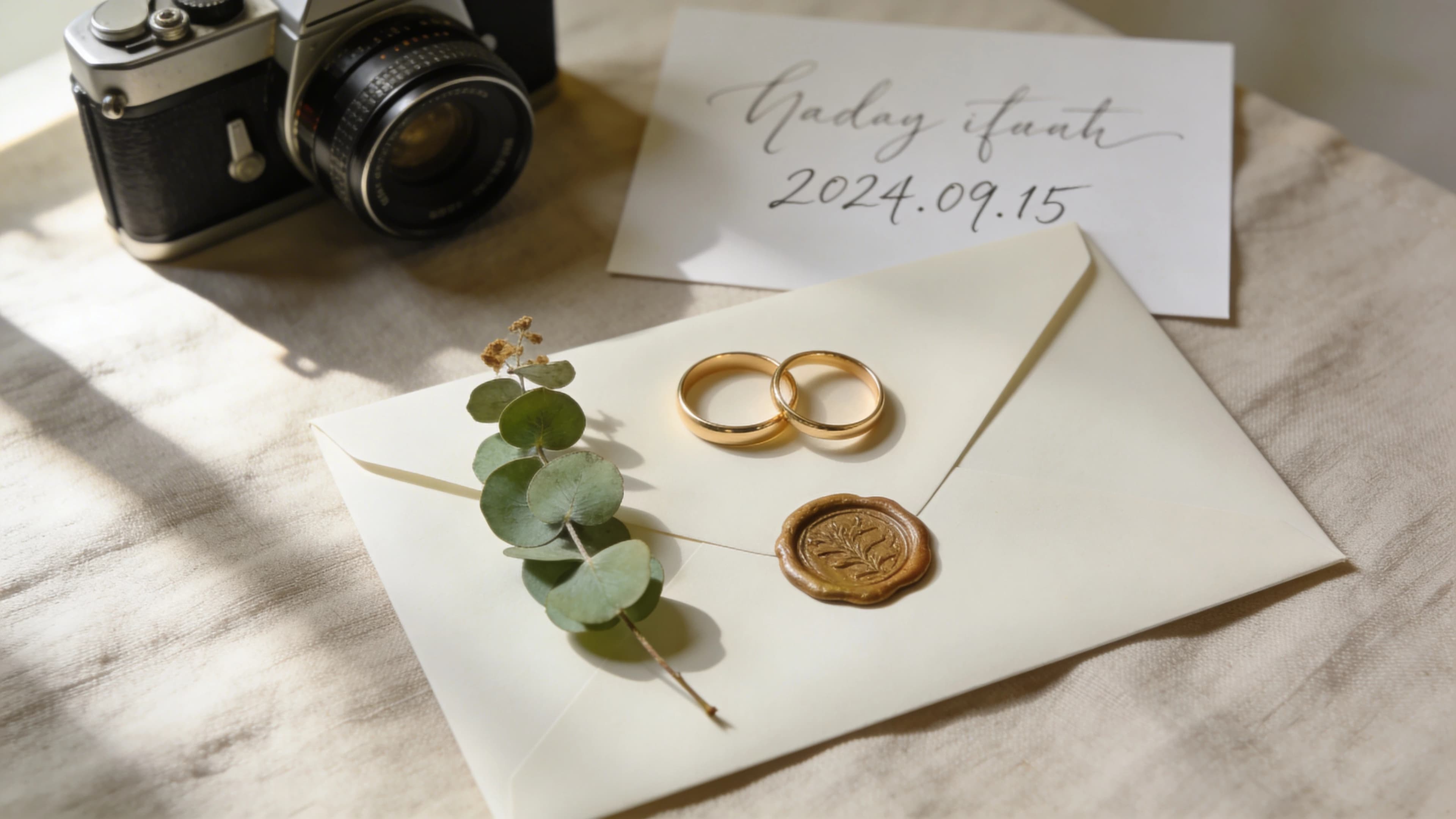
Your Save-the-Date Is the Opening Scene of Your Wedding
A save-the-date video is a short cinematic clip, typically 30 to 90 seconds, that announces your wedding date while giving guests an emotional preview of the day. The best ones combine three layers: visuals that match your wedding aesthetic, music that signals the mood, and voiceover that tells your story. Tools like yume let couples describe their wedding vision in a chat and receive a cinematic save-the-date video with AI voiceover, original music, and consistent likeness of both partners, all for EUR 30/month and no editing skills.
Most save-the-dates communicate a date and a city. That is fine for logistics. But a video save-the-date communicates the entire emotional register of your wedding. Is this formal or casual? Romantic or playful? A country estate or a warehouse party? Guests walk away knowing what kind of experience to prepare for.
This matters more than people realize. As The Knot puts it, "Save-the-dates are guests' first glimpse into the wedding and set the tone while building anticipation." And the shift to digital is well underway: 61% of couples planning 2026 weddings use exclusively digital invitations. Video is the natural next step from a static e-card.
Five Save-the-Date Video Styles (and the Wedding Vibes They Signal)
Your video style should match your wedding personality. A couple planning a cathedral ceremony needs a completely different video than a couple hosting a rooftop party. Here are five styles, each mapped to a specific wedding aesthetic.
1. Cinematic Mini-Film
Best for romantic, formal, or grand weddings. Think ballroom, cathedral, estate. The visual treatment leans on warm tones, shallow depth of field, slow camera movements, and golden hour lighting. The music is orchestral or piano-driven, building in intensity toward the reveal of the date. A narrated voiceover works well here, whether it tells your love story or reads an excerpt from your personal vows. Pacing is slow and deliberate.
2. Playful Animation or Motion Graphics
Best for fun, modern, or casual weddings. Think rooftop party, brewery, art gallery. Bold colors, graphic transitions, and kinetic typography keep the energy high. The music skews indie, electronic, or jazz. Voiceover is optional for this style; text on screen often works better. Pacing is fast and rhythmic. This is the style that most template editors default to, and it works well if your wedding leans casual.
3. Photo Montage with Voiceover
Best for sentimental, intimate, or family-centered weddings. Think backyard ceremony, hometown church, family property. Warm, nostalgic color grading with photos from throughout your relationship. Acoustic guitar, folk music, or a song that means something to you both. The voiceover is what makes this style powerful: the couple narrating their own story, even briefly, creates an emotional connection that text on screen cannot replicate. If you have a collection of photos from your relationship and want to turn them into something cinematic, this is a strong direction.
4. Destination or Location-Based
Best for adventurous, outdoor, or travel weddings. Vineyard abroad, beach ceremony, mountain lodge. Sweeping landscapes, drone-style aerials, natural light, vivid colors. The music might include world music elements or a cinematic ambient score. Voiceover sets the scene and tells guests what to expect from the destination. The pacing starts expansive with wide shots, then moves to intimate close-ups of the couple. With the destination wedding market valued at $56.3 billion in 2025 and international weddings up 27.2% year-over-year, these videos serve a real practical function: they help guests understand what they are traveling to.
5. Cultural or Multilingual
Best for multicultural weddings or international guest lists. Elements from both cultures appear in the visuals: traditional attire, meaningful symbols, cultural venues. The music blends traditions from both backgrounds. Voiceover in two or more languages addresses different sides of the family directly. Blending cultures through fusion ceremonies, bilingual vows, and heritage-inspired elements is one of the most meaningful wedding trends right now, and a multilingual save-the-date video is a natural extension of that.
Quick Reference
| Style | Best For | Music Mood | Voiceover? | Typical Length |
|---|---|---|---|---|
| Cinematic mini-film | Formal, romantic | Orchestral, piano | Yes (narrated) | 60-90 sec |
| Playful animation | Modern, casual | Indie, electronic | Optional (text) | 30-45 sec |
| Photo montage | Intimate, sentimental | Acoustic, folk | Yes (couple's voice) | 45-60 sec |
| Destination/location | Adventure, travel | World, ambient | Yes (scene-setting) | 45-60 sec |
| Cultural/multilingual | Multicultural | Fusion of traditions | Yes (multilingual) | 60-90 sec |
The Three Layers That Set the Tone: Visuals, Music, and Voice
A save-the-date video sets tone through three creative layers working together. Most advice online treats these as checkboxes. They are not. Each one is a deliberate creative decision.
Visuals: Color and Composition Tell Guests What to Expect
Color grading communicates mood before a single word is spoken. Warm golden tones say "romantic." High-contrast cool tones say "modern." Desaturated earth tones say "rustic." This is not decoration; it is information.
Shot type matters too. Wide establishing shots signal grandeur. Close-ups signal intimacy. The mix between them determines whether your video feels like a feature film or a personal conversation.
And then there is character consistency. Seeing the actual couple in cinematic scenes makes guests feel like they are watching a trailer for the wedding itself. This is where template editors hit their ceiling. They use stock footage or static photos overlaid on motion graphics. They cannot generate cinematic scenes featuring the actual couple with consistent likeness across shots.
Music: The Fastest Way to Signal the Mood
Music is not background noise in a save-the-date video. It is the single fastest way to communicate the emotional register of your wedding. Research published in Nature's Scientific Reports confirms what we instinctively know: fast tempo music triggers happy and energetic emotions, while slow tempo triggers calmness and contemplation. Your music choice tells guests how to feel about your wedding before they consciously process it.
Genre is a signal. Orchestral says formal. Acoustic guitar says laid-back. An original composition says this wedding is going to be personal and considered.
The problem with royalty-free music libraries, which is what every template editor offers, is that everyone picks from the same pool. A generic piano track does not communicate your specific wedding personality. AI-composed music matched to the emotional arc of your video is a different category entirely. The music builds when your story builds. It softens when the moment calls for it. That kind of synchronization is what separates a save-the-date that guests watch once from one they replay and send to others.
Voiceover: The Most Underused Layer
Almost no competitor content about save-the-date videos even mentions voiceover. This is a massive missed opportunity. As Tower Studios notes, "A voiceover lets couples weave their story throughout the wedding film, reflecting on their journey, speaking directly to one another, or sharing dreams for the future."
Narration transforms a slideshow into a story. Text on screen is clean but emotionally flat. A voice carries warmth, hesitation, humor, and personality that text cannot convey.
You have a few options. Recording your own narration is the most authentic, but many couples find it awkward. AI voiceover gives you consistent quality and is available in 23 languages, which is particularly useful for multilingual weddings where you want every guest to hear the story in their language. Text-only is always an option for couples who prefer a minimalist approach.
What to Include in a Save-the-Date Video (and What to Leave Out)
Must Include
- Your names
- The wedding date
- The city or general location (no street address needed)
- Your wedding website URL
Worth Including
- A brief hint at the wedding vibe or theme
- A line or two about how you met
- A photo or visual of the actual couple
Leave Out
- Registry information (save for the formal invitation)
- Detailed logistics like hotels, parking, or dress code
- RSVP links or mechanisms (that is the invitation's job)
- Long backstory; the save-the-date is a teaser, not the full film
How Long Should a Save-the-Date Video Be?
For social media delivery on Instagram Stories, TikTok, or WhatsApp, aim for 30 to 60 seconds. Vidyard's research shows that 65% of viewers watch videos to completion when they are under 60 seconds. That completion rate matters when you want guests to actually see the date.
For email delivery, especially with a storytelling or voiceover approach, 60 to 90 seconds works well. You have a slightly more captive audience in an inbox than on a social feed.
Over two minutes is almost always too long for a save-the-date. Guests want a preview, not a documentary. Match the length to the delivery channel: shorter for social, longer for email or wedding website embedding. For platform-specific guidance, see Optimal Video Length for Every Platform in 2026.
How to Make a Save-the-Date Video: Three Approaches Compared
There are three production tiers for save-the-date videos, and the gap between them is larger than most couples expect.
Template editors like Canva and FlexClip are fast, free or cheap, and simple to use. You pick a template, drop in your photos and text, choose a royalty-free music track, and export. The results are clean motion graphics. What they cannot do is generate cinematic scenes featuring you, compose original music that matches your wedding mood, or add voiceover narration. The output looks like a well-designed digital card. For some couples, that is exactly what they want.
Professional videographers produce the highest quality results because they work with real footage. You get a custom shoot, real locations, professional lighting, and a unique final product. The trade-off is cost and timeline. The average wedding videographer costs $2,300, and freelance motion designers charge $300 to $3,130+ for a custom 60-second video. Turnaround is one to four weeks. For a pre-invitation announcement, many couples cannot justify that spend.
AI video tools sit in the gap between these two tiers. yume, for example, lets you describe your wedding vision in a chat, upload reference photos of both partners, and receive a cinematic video with consistent character likeness, AI voiceover in any of 23 languages, and original AI-composed music. The whole process takes minutes, not weeks, and you can edit individual shots without remaking the entire video. At EUR 30/month for Yume Plus, it costs roughly what a single month of a premium template editor costs, but delivers something qualitatively different.
| Feature | yume | Canva | FlexClip | Professional Videographer |
|---|---|---|---|---|
| Cinematic visuals | Yes (AI-generated scenes) | No (templates + photos) | No (templates + photos) | Yes (real footage) |
| Couple's likeness in scenes | Yes (from reference photos) | No | No | Yes (real footage) |
| Voiceover narration | Yes (AI, 23 languages) | No | No | Sometimes (extra cost) |
| Original music | Yes (AI-composed) | No (royalty-free library) | No (royalty-free library) | Sometimes (extra cost) |
| Multiple aspect ratios | Any ratio from one concept | Limited on free plan | Yes | Varies by agreement |
| Editing after creation | Shot-level via chat | Timeline editor | Timeline editor | Revision rounds (1-4 weeks) |
| Time to finished video | Minutes | 30 min - 2 hours | 30 min - 2 hours | 1-4 weeks |
| Cost | EUR 30/month | Free - $13/month | Free - $30/month | $300 - $3,130+ |
The Cost in Context
Here is a number that surprised me. According to The Knot's 2025 Real Weddings Study, couples spend an average of $153 on paper save-the-dates for a 115-guest wedding. That works out to about $1.33 per guest for a card that communicates a date, a city, and your names.
A video save-the-date from yume costs EUR 30 for a month of Yume Plus. For that same 115-guest wedding, that is roughly EUR 0.26 per guest. Except the video communicates your wedding's mood, personality, and aesthetic, not just logistics. It can be shared on every social platform. It can be produced in multiple aspect ratios and languages. And since 86% of newly engaged couples share the news on social media within a week, the save-the-date video doubles as organic social content that reaches beyond the guest list.
The video version costs roughly 80% less per guest than paper while delivering dramatically more information. Whether that trade-off appeals to you depends on your wedding and your guests, but the math is worth knowing.
How to Send Your Save-the-Date Video
Different channels need different formats. Plan for this before you create.
| Channel | Best Aspect Ratio | Tips |
|---|---|---|
| 16:9 (widescreen) | Embed or link; include a clickable wedding website URL | |
| Instagram Reels/Stories | 9:16 (vertical) | Under 60 seconds performs best; add a caption with the date |
| TikTok | 9:16 (vertical) | 21-34 seconds is favored by the algorithm |
| WhatsApp/iMessage | 9:16 or 1:1 (square) | Video will be compressed; keep quality high at source |
| Wedding website | 16:9 (embed) | Great for guests who visit the site directly |
The advantage of creating with a tool that supports any aspect ratio: you make one concept and export it in every format without rebuilding. This is less about convenience and more about consistency. Your save-the-date should look and feel the same whether a guest sees it in their inbox or on their Instagram feed.
When to Send Your Save-the-Date Video
Send six to eight months before the ceremony for domestic weddings, and nine to twelve months for destination weddings. Do not send more than 12 months in advance (details change, and guests forget). No later than four months before the date, or it stops being useful.
Engagement season peaks November through February, with 47% of all proposals happening in those four months. That means the highest volume of save-the-dates goes out between March and August. If you got engaged over the holidays, now is the time.
Frequently Asked Questions
How do you make a save-the-date video for a wedding? You have three options. Use a template editor like Canva for a simple motion-graphic style video. Hire a professional videographer for custom footage at $300 to $3,130+. Or use an AI video tool like yume where you describe your wedding vision in a chat and receive a cinematic video with voiceover and original music in minutes. The best approach depends on your budget, timeline, and how much creative control you want.
How long should a save-the-date video be? Between 30 and 90 seconds. For social media sharing on Instagram, TikTok, or WhatsApp, aim for 30 to 60 seconds since 65% of viewers watch short videos to completion. For email delivery with a storytelling approach, 60 to 90 seconds works well. Anything over two minutes is too long for a save-the-date.
What should be included in a save-the-date video? The essentials are your names, the wedding date, the city or general location, and your wedding website URL. Beyond that, a brief hint at the wedding vibe and a glimpse of the couple help guests start picturing the day. Leave out registry details, RSVP links, and logistics. Those belong in the formal invitation.
What is the best app to make a save-the-date video? It depends on what you want. For quick template-based results, Canva and FlexClip are solid free options. For a cinematic save-the-date with voiceover narration, original music, and scenes featuring the actual couple, yume produces complete videos from a text description at EUR 30/month. For real footage, a professional videographer is the premium choice at $300 to $3,130+.
Is it OK to send a video save-the-date instead of a card? Yes. Digital save-the-dates are widely accepted, even by luxury wedding planners. 61% of couples planning 2026 weddings use exclusively digital invitations. Many couples use a digital save-the-date followed by a paper formal invitation, combining the emotional impact of video with the tradition of printed stationery.
How much does a save-the-date video cost? Template editors like Canva are free to $13/month. AI tools like yume cost EUR 30/month and include voiceover, original music, and character consistency. Freelance motion designers charge $300 to $3,130+ for a custom 60-second video. Professional wedding videographers average $2,300. For comparison, traditional paper save-the-dates cost an average of $153 for printing and postage.
When should you send save-the-dates? Six to eight months before the ceremony for domestic weddings, and nine to twelve months for destination weddings. No more than 12 months in advance, and no later than four months before the date. Engagement season peaks November through February, meaning most save-the-dates go out between March and August.
References
- yume - AI video creation platform
- The Knot 2025 Real Weddings Study - Save-the-date and stationery cost data
- The Knot - Save-the-Date Etiquette - Timing and content guidelines
- The Knot - Wedding Videographer Cost - Average cost data
- Wezoree / CU Independent - Digital invitation trends for 2026
- Vidyard - Video completion rate data
- Nature / Scientific Reports - Music tempo and emotional states research
- Tower Studios - Voiceover in wedding videos
- No Boring Design - Motion design pricing 2025
- Destify - Destination wedding trends
- Radical Storage - Destination wedding market data
- Carats and Cake - Social media sharing behavior
- Mills Jewelers - Engagement season statistics
- Canva - Save-the-date video maker
- FlexClip - Save-the-date video tool